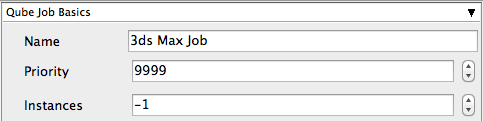
Below Is an expandable view of the "3dsmax Job..." Jobtype Submission UI
NOTE: Not all sections need to be filled in in order to render only the fields marked in red are required
Please click on the text below the section of interest
| Excerpt Include | ||||||
|---|---|---|---|---|---|---|
|
| Excerpt Include | ||||||
|---|---|---|---|---|---|---|
|
| Excerpt Include | ||||||
|---|---|---|---|---|---|---|
|
| Expand | ||||||||||||||||||||
|---|---|---|---|---|---|---|---|---|---|---|---|---|---|---|---|---|---|---|---|---|
| ||||||||||||||||||||
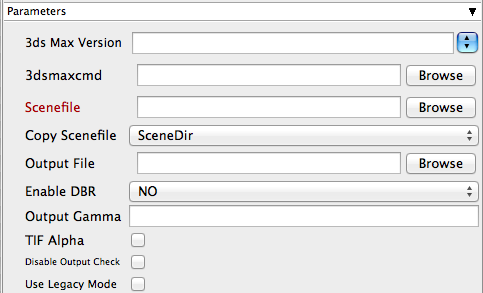
3ds Max Version Tooltip - You may also use numeric version numbers, such as "13000" for v2011, "10000" for v2008, "9000" for v9, etc.
3dsmaxcmd Tooltip - e.g. C:/Program Files/Autodesk/3ds Max 2011/3dsmaxcmd.exe
Scenefile Tooltip - Path to 3ds Max scenefile (required)
Copy Scenefile Tooltip - Whether or not every subjob should create and work with its own copy of the scenefile to workaround a 3dsmax limitation
Output file Tooltip - Output path and filename
Enable DBR Tooltip - Enable Distributed Bucket Rendering for mental ray or V-Ray
Output Gamma Tooltip - if specified, overrides output image gamma value
TIF Alpha Tooltip - Enable alpha-channel output for TIF format
Disable Output Check Tooltip - Check to disable output file existence and filesize check
Use Legacy Mode Tooltip - Use legacy mode (required for 3ds Max prior to v2008. Will NOT work for v2013 and above)
|
| Excerpt Include | ||||||
|---|---|---|---|---|---|---|
|
| Excerpt Include | ||||||
|---|---|---|---|---|---|---|
|
| Excerpt Include | ||||||
|---|---|---|---|---|---|---|
|
| Excerpt Include | ||||||
|---|---|---|---|---|---|---|
|
| Excerpt Include | ||||||
|---|---|---|---|---|---|---|
|
| Excerpt Include | ||||||
|---|---|---|---|---|---|---|
|
Below is instruction on how to locate and install the "InApp" plugins for 3dsmax
| Panel |
|---|
Installation: 3dsmax requires the "3dsmax jobtype" to be installed You will need to select "3dsmax Jobtype" during the installation process screenshot of qubeinstaller needed |
| Panel |
|---|
InApp Location:
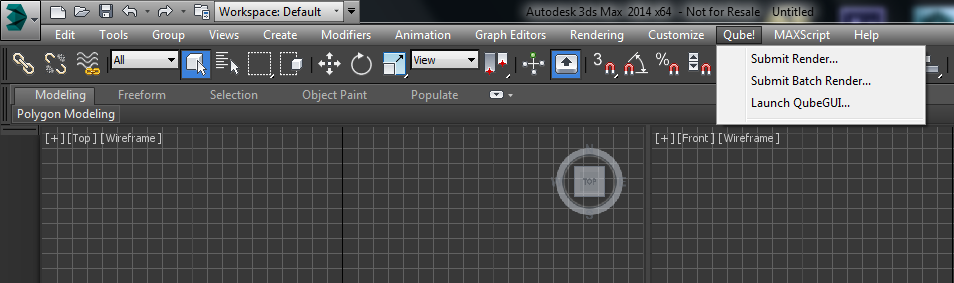
File menu > Qube! |