Skip to end of metadata
Go to start of metadata
You are viewing an old version of this page. View the current version.
Compare with Current
View Page History
« Previous
Version 2
Next »
- Disable Firewall
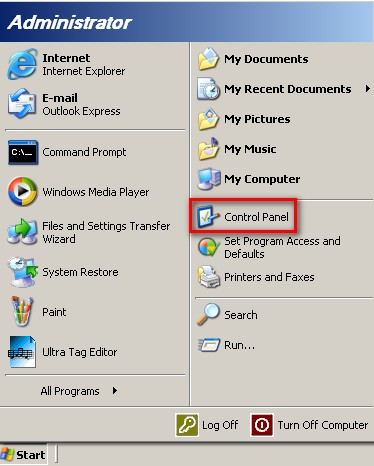
- Open the Start menu and select the Control Panel.
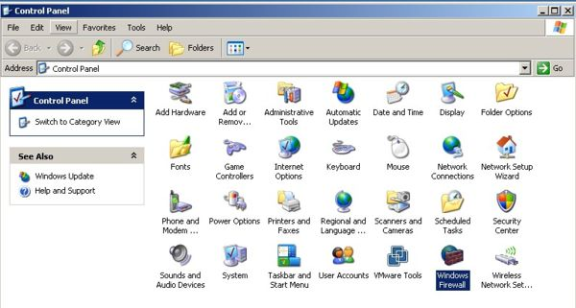
- In Classic View of Control Panel appears and double-click the Windows Firewall applet.
- The Windows Firewall dialog box appears, click the General tab and select the "Off (not recommended)".
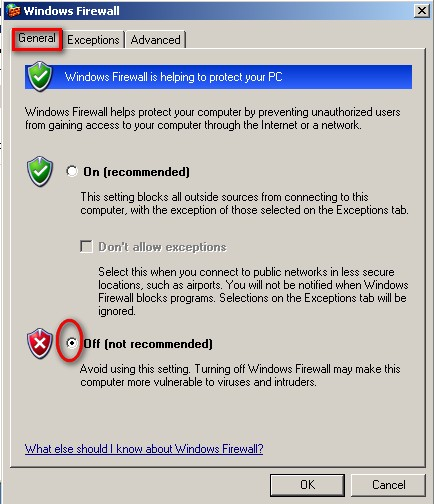
- Click OK button to complete the operation of disabling Windows Firewall.
